Deploying a Production React Application on AWS EC2 Using Ubuntu & Nginx
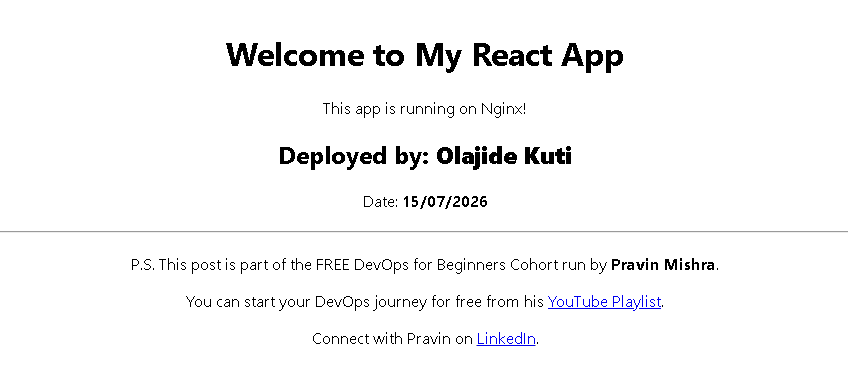
In this project I deployed a React application on an Ubuntu EC2 instance, configured Nginx as a production web server, validated the deployment using Linux networking tools, and resolved a deployment issue caused by an empty Nginx document root.
Project Overview
- ✔ Platform: AWS EC2
- ✔ Operating System: Ubuntu Server
- ✔ Frontend: React
- ✔ Web Server: Nginx
- ✔ Networking: Security Groups
- ✔ Validation: Linux CLI
Skills Demonstrated
Architecture Overview
User requests flow from the Internet through an AWS Security Group to an Ubuntu EC2 instance. Nginx serves the React production build, while systemd manages the web server process to ensure reliable operation.
Building for Production
React applications aren't deployed directly from source code. Development files must first be compiled into an optimized production build.
npm install
npm run build
The build process generated compressed JavaScript, CSS and HTML assets designed for performance and browser caching. Those static files were then copied into Nginx's document root where they could be served efficiently to clients.
Why Nginx?
During development, React provides its own development server. Production environments require something different a lightweight, performant web server capable of efficiently serving static assets.
Nginx fulfils this role exceptionally well. It provides fast request handling, low memory consumption and robust support for production workloads.
Choosing the correct web server isn't simply about serving files. It's about reliability, performance and operational simplicity.
Solving React Routing with Nginx
One of the most interesting aspects of the deployment involved supporting client-side routing.
Without additional configuration, navigating directly to routes such as/about would result in a 404 error because Nginx attempts to locate a physical file rather than allowing React Router to handle navigation.
location / {
    try_files $uri /index.html;
}
This small configuration change delegates routing back to React, allowing deep links and browser refreshes to function correctly.
Operating the Application
Successfully deploying an application provides only limited assurance. Operational confidence comes from understanding the health of the underlying platform.
systemctl status nginx
journalctl -u nginx
ps aux | grep nginx
ss -tuln
df -h
free -h
Each command answers a different operational question:
- Is the service running?
- Did it start successfully?
- Which ports are listening?
- Are resources becoming constrained?
- Are logs reporting unexpected failures?
Looking Beyond "It Works"
Opening a webpage confirms only one thing:
A single HTTP request completed successfully.
It tells us nothing about long-term reliability.
Engineers must also consider service recovery, log analysis, configuration validation, process health, networking, disk utilisation, memory consumption and application observability.
The Lesson That Changed My Perspective
Before completing this deployment, I viewed Linux primarily as the platform hosting an application.
This project shifted that perspective.
Linux is not simply the environment where applications execute it is the operational foundation that enables reliability.
Users never see Nginx worker processes, systemd services, TCP sockets, file permissions or application logs.
They simply expect a website to load.
Users experience outcomes. Engineers understand the systems that produce those outcomes.
Key Technical Takeaways
- Building applications and operating applications require different engineering mindsets.
- Nginx remains an excellent lightweight solution for serving production-ready React applications.
- Understanding Linux services is just as important as understanding application code.
- Observability through logs, monitoring and process inspection is fundamental to production operations.
- Every deployment should be designed with recovery, validation and maintainability in mind.
Looking Ahead
This deployment represents one milestone in a broader engineering journey.
The next phase involves expanding into Infrastructure as Code, containerisation, CI/CD pipelines, cloud monitoring, automation and cloud security.
Every project continues reinforcing an important lesson: successful cloud engineering is rarely about mastering a single tool. It is about understanding how infrastructure, operating systems, networking, security and applications work together to deliver reliable services.